Tools
When you're ready to create an app, get the SDK and tools for your app type. If you aren't sure which tools you need, get the Flutter SDK.
| App type | Get started instructions | Tool information |
|---|---|---|
| Flutter (mobile and more) | Install Flutter | Flutter tools |
| Web app (non-Flutter) | Install the Dart SDK | General-purpose tools and web tools |
| Server or command line | Install the Dart SDK | General-purpose tools and specialized tools |
General-purpose tools
#The following tools support the Dart language on all platforms.
DartPad
#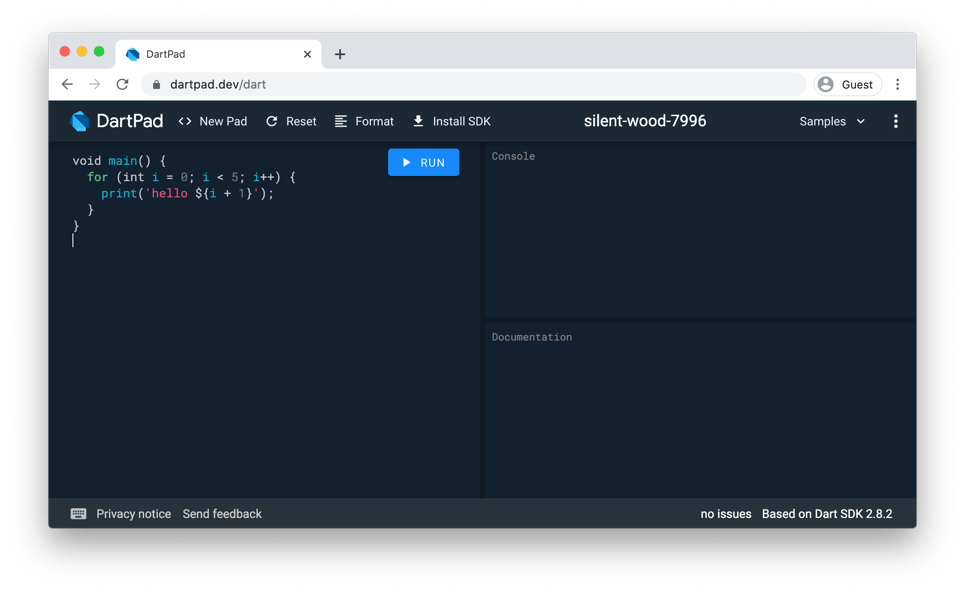
DartPad is a great, no-download-required way to learn Dart syntax and to experiment with Dart language features. It supports Dart's core libraries, except for VM libraries such as dart:io.
IDEs and editors
#Dart plugins exist for these commonly used IDEs.


The following Dart plugins are also available, thanks to the Dart community.


A Language Server Protocol implementation is also available for LSP-capable editors that don't have specific Dart extensions.
Command-line tools
#The Dart SDK includes the following general-purpose dart tool:
dart- A command-line interface (CLI) for creating, formatting, analyzing, testing, documenting, compiling, and running Dart code, as well as working with the pub package manager.
Debugging
#- Dart DevTools
- A suite of debugging and performance tools.
Tool for developing web apps
#The following tool supports developing web apps:
webdev- A CLI to build and serve Dart web apps.
Tools for developing command-line apps and servers
#The following tools support developing or running command-line apps and servers:
dart run- Use the
dart runcommand to run uncompiled Dart command-line apps and some kinds of snapshots. dartaotruntime- Use this Dart runtime to run AOT snapshots.